Plan around real life
Bring tasks, reminders, routines, schedules, and priorities into one daily view.
Available on Google Play
Bring tasks, reminders, calendar, AI memory, finance, wellness, study, documents, and daily planning into one focused Android workspace.
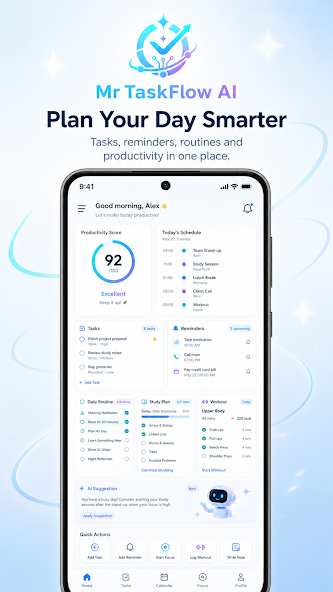
Your day, connected
TaskFlow AI brings planning and personal productivity into one mobile experience. See what matters now, capture the next action quickly, and let the assistant help connect the details.
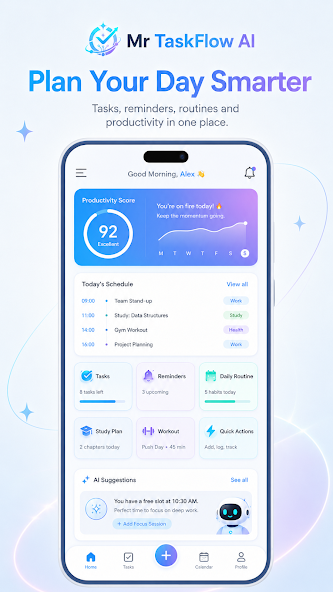
Bring tasks, reminders, routines, schedules, and priorities into one daily view.
Use AI memory, notes, documents, study tools, and personal trackers without losing your flow.
Capture by voice, create tasks, set reminders, and turn assistant responses into useful actions.
Everyday capability
Start with a task, build a schedule, check your goals, or ask the assistant. The tools stay connected inside the same mobile workspace.
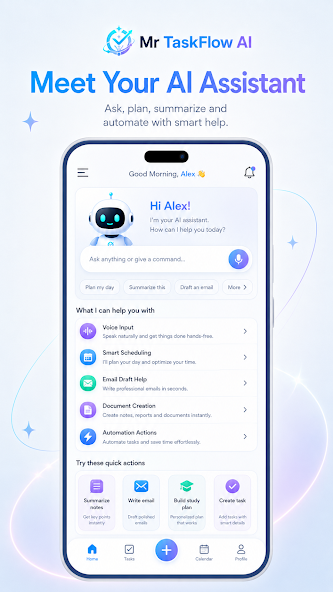
Ask, summarize, plan, capture by voice, and keep useful preferences visible and manageable.
Organize priorities, schedules, recurring work, reminders, focus blocks, and daily routines.
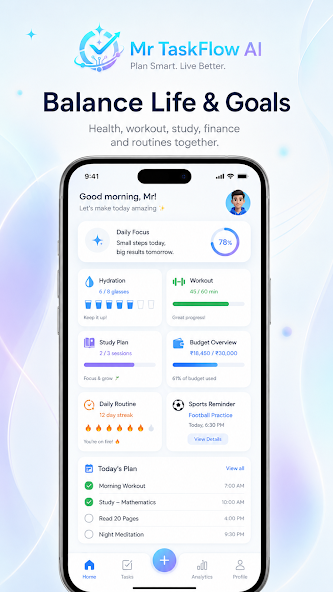
Track money activity, saving goals, hydration, workouts, routines, and medication schedules.
Create smart documents, improve resumes, prepare for interviews, and organize job activity.
Shape study plans, university schedules, prompts, notes, and focused learning sessions.
Keep maps, bookings, spreadsheets, team chat, automations, weather, and sports close at hand.
AI assistant
TaskFlow AI can use your tasks, preferences, and daily context to make assistance more useful. Memories remain visible so you can review, edit, or clear them.
Use text or voice to plan, summarize, draft, and organize.
Create tasks, reminders, plans, and useful outputs from the conversation.
Review personal memory and remove context you no longer want saved.
Your preferences stay understandable and under your control.
Inside the Android app
Swipe through official TaskFlow AI screens currently presented on Google Play.
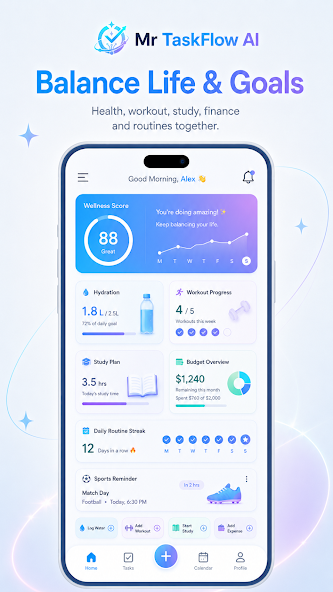
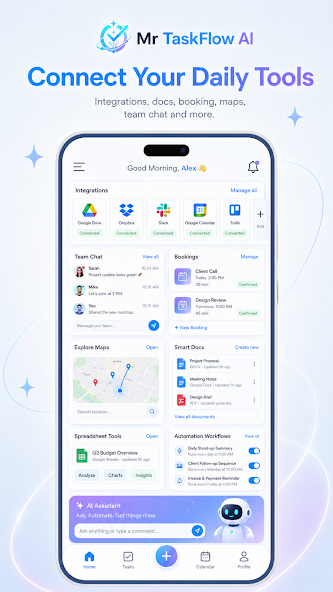
Connected toolkit
Open the part of your day that needs attention without switching between a stack of unrelated apps.
Priorities, recurring work, and subtasks.
Events, routines, and daily schedules.
Writing, exports, notes, and resumes.
Income, spending, budgets, and savings.
Hydration, workouts, habits, and health.
Learning plans and university schedules.
Connected services and daily utilities.
Repeatable workflows and smart nudges.
Privacy and access
The website explains the product. Your workspace stays inside the Android app, with account access, permissions, AI memory controls, and paid unlocks handled through their proper channels.
Notification, location, storage, and media access are requested only when the related mobile feature needs them.
Saved assistant context can be reviewed, edited, or cleared from the app’s memory controls.
Android Pro unlocks use Google Play Billing. This website does not present a separate web checkout.
Questions
No. mrtaskflow.site is the official product, privacy, security, and support website. The productivity workspace is available through the Android app.
Use any “Download on Google Play” button on this page. It opens the official listing for package site.mrtaskflow.app.
Paid Android features are unlocked through Google Play Billing inside the app. Purchases can be restored through the app on supported devices.
Yes. The app provides controls to review, edit, and clear stored assistant memories.
Visit the support page or email [email protected].

Download TaskFlow AI from the official Google Play listing.